On this page ▾
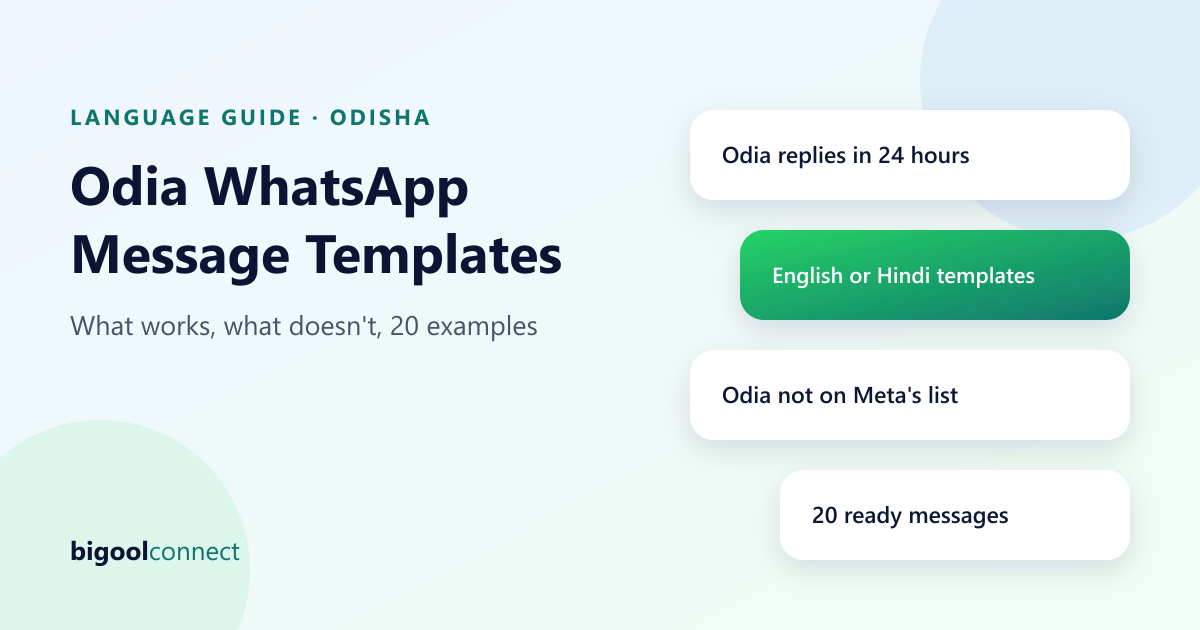
If you run a business in Odisha, you probably want to talk to customers in Odia. Here is the part most guides skip: when we checked Meta's supported template languages on 14 October 2026, Odia was not on the list. Hindi, Bengali, Telugu, Tamil, Marathi, Gujarati, Kannada, Malayalam, Punjabi and Urdu were. This guide explains what that means for your messages, where you can still use Odia, and gives you 20 ready messages to adapt.
For the basics of how templates work, see our guide to WhatsApp message templates. This page focuses on language.
The Short Answer: Where Odia Works on WhatsApp
| Situation | Can you write in Odia? | Why |
|---|---|---|
| A customer messages you and you reply within 24 hours | Yes | These are free-form replies, not templates, so the template language list does not apply |
| You message first, or after the 24 hours have passed | Not as an Odia template | You must use an approved template, and Odia is not on Meta's language list |
| A template written in English or Hindi | Yes, in that language | Both are on the list |
| Odia words in English letters inside an English template | Uncertain | Meta may reject a template whose text does not match the selected language, so test before you rely on it |
The practical rule: start conversations in a language Meta supports, and continue them in Odia.
Why the Language Code Matters
Every WhatsApp template has a name and a language, and approval is given per language. If a template is submitted in one language and the text is clearly in another, Meta can reject it. That is why you cannot simply paste Odia text into a template and choose "English" or "Hindi" as the language.
Meta also reviews the category (Marketing, Utility or Authentication) and the wording. Our templates guide covers categories, approval and rejection reasons in more detail. Meta's list can change, so check the official page before you build, and again every few months.
Three Practical Ways to Reach Odia Customers
1. Send the first message in English or Hindi, then reply in Odia
This is the most reliable approach. Use a short, friendly template, such as a reminder or a greeting, and let the customer reply. As soon as they do, you have 24 hours to continue in Odia.
2. Let the customer message you first
A customer who scans a QR code or taps a link starts the conversation themselves, and your automatic reply can be in Odia straight away. Put a WhatsApp QR code on your counter, bill, poster or shop board with a line such as "Scan to chat with us". This works well for shops, clinics and restaurants where customers are already in front of you.
3. Use a two-line message with a short local greeting
Some businesses write the template in English and open with a short Odia greeting in English letters, such as "Namaskar". It reads warmly and is easy to approve in many cases, but approval is never guaranteed, so submit one test template and wait for the result before you plan a campaign around it.
How to Write a Good Template for Odisha
- Keep it short. Two or three lines. Put the useful detail first: the time, the amount, the place.
- Use plain words. A mix of simple English and Hindi that your customers already use in daily life.
- Use variables for the personal parts. A name and a date, not a long paragraph that must be edited for each person.
- Say who you are. Start with your shop or clinic name so the message is recognised.
- Add an opt-out line to marketing messages, such as "Reply STOP to opt out".
- Send only to people who agreed. Meta's policy requires opt-in. See our Business API guide for the full picture.
20 Ready Messages You Can Adapt
Ten replies you can send in Odia (inside a conversation the customer started)
These are free-form replies, not templates. They are examples of simple Odia, so please have a native speaker on your team check and adjust them to your business before you use them.
| Situation | Odia | English meaning |
|---|---|---|
| Greeting | ନମସ୍କାର! ଆମକୁ ଯୋଗାଯୋଗ କରିଥିବାରୁ ଧନ୍ୟବାଦ। ଆପଣଙ୍କୁ କିପରି ସାହାଯ୍ୟ କରି ପାରିବୁ? | Hello! Thank you for contacting us. How can we help you? |
| Opening hours | ଆମେ ପ୍ରତିଦିନ ସକାଳ ୧୦ଟାରୁ ରାତି ୮ଟା ପର୍ଯ୍ୟନ୍ତ ଖୋଲା ଅଛୁ। | We are open every day from 10 am to 8 pm. |
| Asking for details | ଦୟାକରି ଆପଣଙ୍କ ନାମ ଓ ଫୋନ୍ ନମ୍ବର ଦିଅନ୍ତୁ। ଆମ ଟିମ୍ ଶୀଘ୍ର ଯୋଗାଯୋଗ କରିବେ। | Please share your name and phone number. Our team will contact you soon. |
| Price needs a person | ଏହାର ମୂଲ୍ୟ ଜଣାଇବା ପାଇଁ ଆମ ଟିମ୍ ଶୀଘ୍ର ଆପଣଙ୍କୁ ଉତ୍ତର ଦେବେ। | Our team will reply soon with the price. |
| Order received | ଆପଣଙ୍କ ଅର୍ଡର ଆମେ ପାଇଛୁ। ଏହା ପ୍ରସ୍ତୁତ ହେଲେ ଆମେ ଜଣାଇବୁ। | We have received your order. We will tell you when it is ready. |
| Appointment reminder | ଆପଣଙ୍କ ଆପଏଣ୍ଟମେଣ୍ଟ ଆସନ୍ତାକାଲି ସକାଳ ୧୧ଟାରେ ଅଛି। ସମୟ ବଦଳାଇବାକୁ ହେଲେ ଏଠାରେ ଜଣାନ୍ତୁ। | Your appointment is tomorrow at 11 am. Tell us here if you want to change the time. |
| Directions | ଆମ ଠିକଣା ତଳେ ଥିବା ଲୋକେସନ୍ରେ ଦେଖନ୍ତୁ। | See our address in the location below. |
| After hours | ଆମେ ବର୍ତ୍ତମାନ ବନ୍ଦ ଅଛୁ। ସକାଳ ୧୦ଟା ପରେ ଆପଣଙ୍କୁ ଉତ୍ତର ଦେବୁ। | We are closed now. We will reply after 10 am. |
| Thanks | ଆମ ସହିତ ଯୋଗାଯୋଗ କରିଥିବାରୁ ଧନ୍ୟବାଦ। ଆପଣଙ୍କ ଦିନଟି ଶୁଭ ହେଉ। | Thank you for contacting us. Have a good day. |
| Feedback | ଆପଣଙ୍କ ଅନୁଭବ କିପରି ଥିଲା? ୧ ରୁ ୫ ମଧ୍ୟରେ ଏକ ସଂଖ୍ୟା ପଠାନ୍ତୁ। | How was your experience? Send a number from 1 to 5. |
If your customers prefer Odia in English letters, the first line becomes something like "Namaskar! Amaku jogajog karithibaru dhanyabad." Ask your team which style your customers use.
Ten templates for messages you send first (English, to adapt or translate into Hindi)
Submit these as templates in English (or Hindi), under the right category. Replace the words in double curly brackets with your own variables.
| Use | Category | Template text |
|---|---|---|
| Appointment reminder | Utility | Hi {{1}}, a reminder of your appointment at {{2}} on {{3}}. Reply here if you need to change the time. |
| Fee reminder | Utility | Hi {{1}}, your fee of Rs {{2}} for {{3}} is due on {{4}}. Reply here if you have a question. |
| Order ready | Utility | Hi {{1}}, your order {{2}} is ready for pickup at {{3}}. |
| Payment received | Utility | Hi {{1}}, we received Rs {{2}} on {{3}}. Your receipt number is {{4}}. Thank you. |
| Delivery update | Utility | Hi {{1}}, your order {{2}} is out for delivery today. |
| Service complete | Utility | Hi {{1}}, your {{2}} at {{3}} is complete. Reply here if you have any questions. |
| Booking confirmed | Utility | Hi {{1}}, your booking at {{2}} for {{3}} is confirmed. Booking ID: {{4}}. |
| Site visit reminder | Utility | Hi {{1}}, a reminder of your visit to {{2}} on {{3}} at {{4}}. Reply here if you want to reschedule. |
| Feedback request | Utility | Hi {{1}}, thank you for choosing {{2}}. How was your experience? Reply with a number from 1 (poor) to 5 (excellent). |
| Festival greeting | Marketing | Namaskar {{1}}! Wishing you and your family a happy {{2}} from all of us at {{3}}. Reply STOP to opt out. |
Use the marketing category only for offers and greetings that are really promotional, and the utility category for updates about something the customer did. For current plans and how WhatsApp usage is charged, see our pricing page.
Test Before You Send
- Send each message to three or four real phones, including an older Android phone.
- Check that the Odia script shows as letters and not boxes.
- Have a native speaker read every message once.
- Submit one template, wait for approval, then build on it.
- Keep a person ready for replies. An automatic reply in Odia that cannot be followed up is worse than none.
Our Sambalpur guide has a twelve-message script for testing a chatbot in Odia, Sambalpuri phrasing, Hindi and Hinglish, and our Bhubaneswar guide shows workflows by industry.
Common Mistakes
- Assuming Odia templates exist. Check Meta's language page before you design a campaign.
- Choosing the wrong language label to get a template through. It can be rejected, and repeated rejections hurt your account's standing.
- Long messages. Customers read the first line on the lock screen. Put the key detail there.
- Machine translation without review. Wrong amounts, times and honorifics damage trust.
- Messaging people who never agreed. This is the fastest way to get blocked and reported.
How Bigool Connect Fits
Bigool Connect, built by Bigool Digital, is a WhatsApp business communication platform that connects through Meta's WhatsApp Business Platform. It is used online, so you can set it up without a visit. Based on what the product does today, it offers:
- A shared inbox: your whole team answers from one WhatsApp number, with chat assignment and internal notes.
- AI-assisted replies: answers drawn from information you provide, with a handoff to your team that pauses the AI and flags the chat.
- Template campaigns: send approved templates to contacts who have opted in, and track delivery, reads and replies.
- Starter kits by business type: tags, message templates and draft automations that are installed while you set up.
Bigool Connect does not replace your team and does not guarantee AI accuracy, delivery or sales. For plans and charges, see the pricing page.
Want to try this on your own number? Message the Bigool Connect team or contact us with the form.
Frequently Asked Questions
Can I create a WhatsApp message template in Odia? Not as an Odia-language template, as far as Meta's published list shows. When we checked Meta's supported-languages page on 14 October 2026, Hindi, Bengali, Telugu, Tamil, Marathi, Gujarati, Kannada, Malayalam, Punjabi and Urdu were listed, and Odia was not. You can still reply to customers in Odia inside a conversation they started.
Can I reply to customers in Odia on WhatsApp? Yes. When a customer messages you, a 24-hour service window opens and you can type any reply, in Odia script, Odia in English letters, Hindi or English. Those free-form replies are not templates, so the template language list does not apply to them.
What language should I use for templates if Odia is not available? Most Odisha businesses use English or Hindi for templates and keep Odia for live conversation. Keep the template short and simple, and check Meta's current language list before you build, because it can change.
Can I write Odia words in English letters inside a template? Simple greetings such as Namaskar are common. Meta may reject a template whose text does not match the language you select, so test a small template first and do not build a whole campaign on one that has not been approved.
Does Meta approve templates in any language? Every template needs approval before you can send it, and approval is per language. Meta reviews content and category, and can reject a template for reasons such as unclear wording, wrong category or missing variable examples. Our guide to WhatsApp message templates explains the common rejection reasons.
How do I make sure customers can receive my Odia messages? Odia script displays on modern phones, but older devices and some fonts can show boxes instead of letters. Test on a few phones, and give customers a short English or Hindi line for important details such as an address, an amount or a time.
Who should check my Odia messages before I send them? A native Odia speaker from your team or a trusted translator. Machine translation can produce awkward or wrong phrasing, and a mistake in a fee, a time or a price causes more trouble than an English message would.
Can a chatbot answer in Odia? Many AI chatbots can write in Odia, but quality varies. Test with your own real customer messages in Odia script, Odia in English letters, Hindi and English before you rely on one. Our Sambalpur guide gives a twelve-message test script.
Conclusion
Odia is not yet a template language on Meta's published list, but that does not stop you from talking to customers in Odia. Start with a short English or Hindi template, move the conversation into Odia as soon as the customer replies, and let a native speaker check every message. When you want help setting that up, message Bigool Connect.