On this page ▾
If you run a shop, clinic, coaching centre or restaurant in Odisha, you probably started on the WhatsApp Business App. At some point one question comes up: should you stay on the app or move to the WhatsApp Business API? This guide compares them in plain language, explains the new option that lets you use both on one number, and tells you when each one makes sense.
For definitions, see our longer guides on the WhatsApp Business API and WhatsApp automation.
WhatsApp Business App vs API: The Quick Comparison
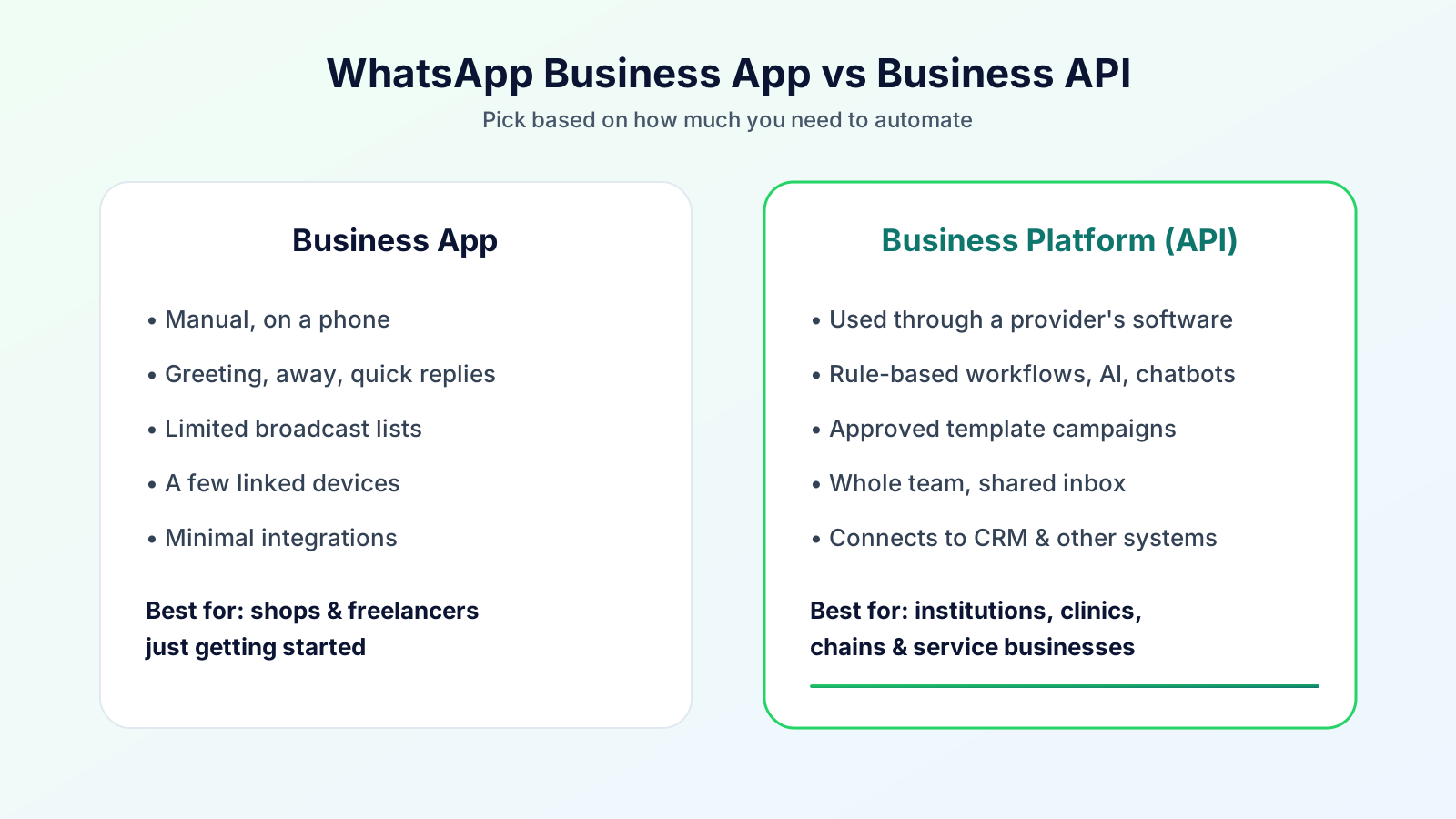
| Business App | Business API | App and API together (coexistence) | |
|---|---|---|---|
| Who uses it | One owner or a small team on phones | A team on a shared inbox | Both, on one number |
| Automation | Greeting, away message, quick replies | Workflows, chatbots, AI, reminders, campaigns | API tools plus the app |
| Campaigns | Limited broadcast tools | Approved templates to opted-in contacts | Templates through the API |
| Setup | Minutes | Business details, number, display name, templates | Business app number linked through Meta's Embedded Signup |
| Best for | A small shop starting out | Businesses with volume, a team and repeat messages | Owners who want the app and API tools without giving up the app |
When the Business App Is Enough
Stay on the app if all of these are true:
- One person answers all chats, on one phone.
- You receive a manageable number of messages a day.
- You do not need to send offers or reminders to many customers.
- Missing a message occasionally is not a big problem for you.
The app is familiar and quick to set up. There is nothing wrong with staying on it.
When It Is Time to Move to the API
Consider the API when you notice:
- Messages are missed, especially in the evening or when the owner is busy.
- More than one person needs to reply, and passing a phone around is not working.
- You repeat the same messages every day, such as appointment reminders, fee reminders or order updates.
- You want to send offers to many customers without breaking WhatsApp's rules.
- You want to know what was said and who said it, for training, disputes or follow-up.
- You want an AI assistant to answer routine questions and hand over the rest.
- You want customer data in one place, with tags, notes and follow-up dates.
What Is Coexistence?
Until recently, a phone number lived in one place: the Business App or the API. Moving to the API usually made the app inactive. Coexistence is Meta's feature that lets one number run on both. According to Meta's documentation:
- Messages you send from the app do not open or extend the API's 24-hour window.
- Messages sent through the API follow the normal API rules for templates and the 24-hour window.
- A one-time sync brings in contacts and recent chat history, covering up to 180 days, and it must start within 24 hours of onboarding.
- Numbers on both have a fixed throughput of 20 messages per second.
- Some app features are switched off: broadcast lists, disappearing messages, view-once messages and live location messages. Group chats, calls, catalogue and Channels are not supported.
- A business can link up to four companion devices, and onboarding unlinks the existing ones so you can link them again.
These details come from Meta's page as we read it on 14 October 2026, and Meta changes them, so confirm with your provider before you move a number you rely on.
What About Cost?
For current plans and how WhatsApp usage is charged, see our pricing page.
What You Need Before You Switch
- Your business details and documents, which Meta may check.
- A number you are happy to put on the platform, or a plan for moving the one you use.
- An approved display name. Until it is approved, the number can be limited.
- Templates for messages you send first. Our guide to message templates explains approval.
- Opt-ins: a record of who agreed to hear from you.
- A person responsible for replying, so automation never leaves a customer waiting.
Questions to Ask Your Provider
- Who owns the WhatsApp account and the number?
- Can I keep my number and my chat history, and what exactly will carry over?
- Is coexistence available for my number?
- What does the plan include, and where can I see the current plans?
- Who writes and submits templates, and how long does approval take?
- Can I export my contacts and conversations if I leave?
Our Cuttack guide lists more questions and red flags, including why unofficial bulk-sender tools put your number at risk.
A Simple Way to Decide
| If this sounds like you | Choose |
|---|---|
| One owner, few chats, no campaigns | Stay on the Business App |
| A small team missing messages or repeating the same replies | Move to the API |
| You love the app and want API tools too | Ask about coexistence |
| You want an AI assistant or a shared inbox | API, with human handoff |
How Bigool Connect Fits
Bigool Connect, built by Bigool Digital, is a WhatsApp business communication platform that connects through Meta's WhatsApp Business Platform. It is used online, so you can set it up without a visit. Based on what the product does today, it offers:
- A shared inbox: your whole team answers from one WhatsApp number, with chat assignment and internal notes.
- Template campaigns: send approved templates to contacts who have opted in, and track delivery, reads and replies.
- Automations: birthday wishes, reminders, welcome messages and follow-ups that start from a new contact, a tag or a date.
- AI-assisted replies: answers drawn from information you provide, with a handoff to your team that pauses the AI and flags the chat.
- Starter kits by business type: tags, message templates and draft automations that are installed while you set up.
Bigool Connect does not replace your team and does not guarantee AI accuracy, delivery or sales. For plans and charges, see the pricing page.
Not sure which route fits your business? Message the Bigool Connect team or contact us with the form.
Coexistence onboarding is being rolled out in Bigool Connect. Ask the team whether it is open for your number.
Frequently Asked Questions
What is the difference between the WhatsApp Business App and the WhatsApp Business API? The Business App is an app you use on a phone, built for one owner or a very small team. The Business API (the WhatsApp Business Platform) is accessed through software, so many team members can share one number and you can add automation, campaigns and integrations.
Can I use the WhatsApp Business App and the API on the same number? Yes, through a feature Meta calls coexistence. A number can stay active on the Business App while also running on the Cloud API. Meta documents limits, such as a fixed throughput of 20 messages per second, and some app features are switched off. Check the details with your provider before you move a number you depend on.
What does the WhatsApp Business API cost? For current plans and how WhatsApp usage is charged, see https://bigoolconnect.in/pricing
Will I lose my chats if I move to the API? Without coexistence, moving a number to the API normally makes it inactive on the Business App, and you may lose chat history on the phone. With coexistence, Meta describes a one-time sync of contacts and recent chat history, covering up to 180 days, within 24 hours of onboarding. Ask your provider exactly what will carry over.
Do I need the API if I only have one shop and a few customers a day? Probably not yet. If one person answers all chats on one phone and you do not need campaigns or automation, the Business App is enough. Move when messages are being missed, several people need access, or you want reminders and follow-ups sent automatically.
Can I send bulk messages from the WhatsApp Business App? The app has limited broadcast tools, and some automation tools sold for bulk sending automate an ordinary account and can break WhatsApp's rules. For campaigns to many customers, the official route is approved templates sent through the API to people who have opted in.
Can my staff all reply from the API? Yes. That is one of the main reasons businesses move. Through a shared inbox, several team members can answer from one number, and chats can be assigned to the right person. The Business App on a single phone cannot do this as easily.
Does Bigool Connect support coexistence? Coexistence onboarding is being rolled out in Bigool Connect through Meta's Embedded Signup. Whether it is open for your number depends on Meta, so ask the team before you plan a move.
Conclusion
The Business App and the API are not rivals. The app is the right start for a small shop, the API is the right tool once you have a team, repeat messages and customers to follow up, and coexistence lets some businesses use both on one number. Start with what you need today, check the details with your provider, and keep a person responsible for every conversation. When you are ready to talk it through, message Bigool Connect.